Electron is still one of the best frameworks for building cross-platform desktop apps with web technologies. In 2026, it is stronger than ever. The ecosystem has grown, performance has improved, and developers now have a rich set of tools for security, efficiency, and user experience.
Whether you are starting your first Electron project or optimising an existing workflow, the right tools can save time, reduce complexity, and make your app stand out. Below is the most complete reference guide covering the full list of popular Electron libraries, emerging alternatives, security best practices, and everything in between.
Complete List of Electron Libraries (2026)
If you searched for a list of Electron libraries or popular Electron libraries, this is the section for you. Here is a categorised reference of the most used and maintained libraries in the Electron ecosystem today.
| Category | Library | What It Does |
|---|---|---|
| Scaffolding | Electron Forge | Official project scaffolding and publishing tool |
| Scaffolding | Electron Builder | Installers, code signing, auto-updates |
| Scaffolding | Electron Packager | Lightweight packaging without extra features |
| Dev Productivity | electron-debug | Adds debug shortcuts and menus |
| Dev Productivity | electron-reloader | Auto-reloads app on file change |
| Dev Productivity | electron-util | OS-specific utilities and helpers |
| Dev Productivity | electron-localshortcut | Per-window keyboard shortcuts |
| Dev Productivity | electron-devtools-installer | Install Chrome DevTools extensions in Electron |
| Dev Productivity | electron-is-dev | Detect development vs production environment |
| Storage | electron-store | Simple key-value persistent storage |
| Storage | electron-config | Lightweight settings store |
| Storage | RxDB | Reactive offline-first database |
| Storage | NeDB | Embedded NoSQL database for desktop apps |
| Storage | better-sqlite3 | Fast, synchronous SQLite bindings |
| Updates | autoUpdater | Built-in Electron update module |
| Updates | electron-updater | Feature-rich updater from electron-builder |
| Updates | electron-release-server | Self-hosted release and version management |
| Updates | Nuts | Lightweight auto-update server |
| IPC / Messaging | electron-ipcfy | Type-safe IPC messaging helper |
| IPC / Messaging | electron-better-ipc | Simplified, promise-based IPC |
| IPC / Messaging | electron-remote | Remote module replacement |
| UI / UX | electron-dl | Download files with progress indicators |
| UI / UX | electron-context-menu | Native right-click context menus |
| UI / UX | electron-pdf-window | Render PDFs inside the app window |
| UI / UX | electron-window-state | Remember and restore window size/position |
| UI / UX | electron-tray | Tray icon management utilities |
| Logging | electron-log | Production-grade structured logging |
| Logging | electron-timber | Pretty, readable console logging |
| Security | electron-squirrel-startup | Handles Squirrel events on startup |
| Security | helmet (via BrowserWindow CSP) | Set Content Security Policy headers |
| Testing | Spectron | Electron-specific testing (deprecated; use Playwright) |
| Testing | Playwright | End-to-end testing with Electron support |
| Testing | Vitest / Jest | Unit testing for main and renderer processes |
| Boilerplates | electron-react-boilerplate | React + Webpack production-ready starter |
| Boilerplates | vite-electron-builder | Vite + Electron fast build template |
| Boilerplates | secure-electron-template | Security-first React + Redux boilerplate |
| Boilerplates | electron-vue | Vue.js + Electron integration starter |
This is one of the most comprehensive Electron libraries lists available, covering every major category from storage to testing to security.
1. Project Scaffolding & Packaging
A good build process can make a big difference. These tools help you set up, package, and ship your app easily.
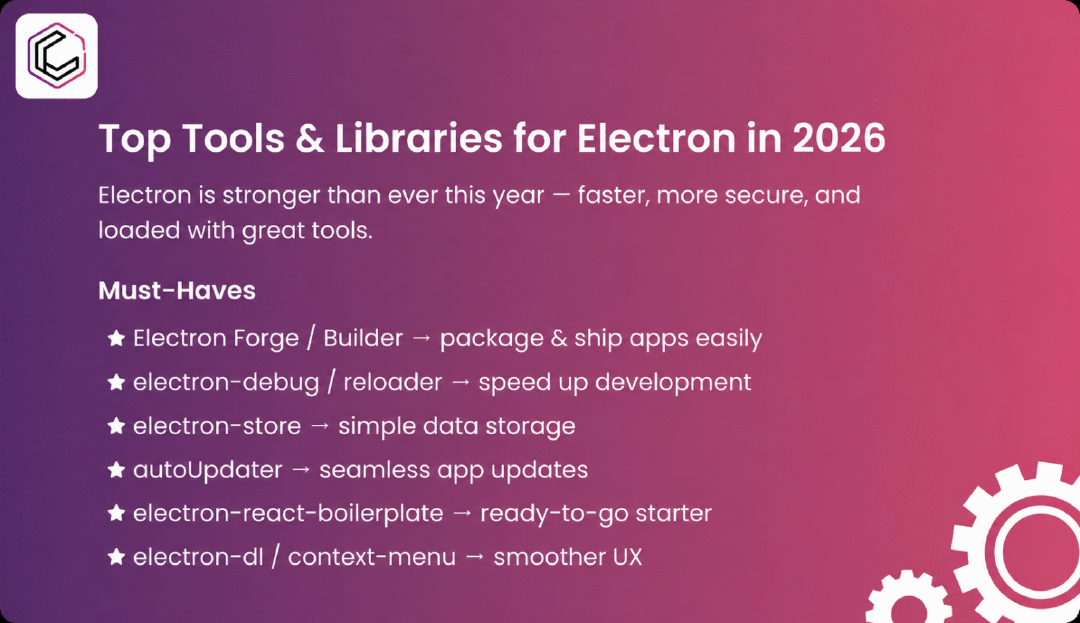
- Electron Forge – The official tool for scaffolding projects. It offers ready-to-use templates and built-in packaging and publishing workflows.
- Electron Builder – This tool helps with installers, code signing, and automatic updates. It works for Windows, macOS, and Linux.
- Electron Packager – A lightweight option for quick packaging without extra features. It is great for simple setups.
2. Developer Productivity Enhancers
Speeding up your workflow lets you focus more on building features and less on repetitive tasks.
- electron-debug – Adds shortcuts and debug menus for faster troubleshooting.
- electron-reloader – Auto-reloads your app when you make changes, saving rebuild time.
- electron-util – Useful tools for managing app state, menus, and OS-specific behavior.
- electron-localshortcut – Lets you assign shortcuts to specific windows in your app.
3. Data Storage & Configuration
Storing user preferences, app settings, or offline data needs reliable, easy-to-use solutions.
- electron-store – A simple storage library for key-value data.
- electron-config – Similar to electron-store, but faster to integrate.
- RxDB / NeDB – More advanced databases for complex, offline-first apps.
4. App Updating & Distribution
Keeping your users on the latest version without searching for updates improves their experience and security.
- autoUpdater – Electron’s built-in update module, often used with a custom update server.
- electron-release-server – Self-hosted release management with version tracking.
- Nuts / Squirrel Updates Server – Lightweight update servers for small to mid-scale apps.
5. Starter Templates & Boilerplates
Instead of starting from scratch, jump into development with a solid foundation.
- electron-react-boilerplate – A production-ready React + Webpack setup for Electron.
- vite-electron-builder – Combines Vite’s fast build process with Electron’s packaging features.
- secure-electron-template – Includes React, Redux, and i18next, with security best practices included.
6. UX-Enhancing Utilities
Small touches can make your app feel smoother and more native to users.
- electron-dl – Simplifies file downloads with progress indicators.
- electron-log / electron-timber – Structured logging for debugging and analytics.
- electron-context-menu – Adds native-style right-click menus automatically.
- electron-pdf-window – Displays PDFs directly inside your app.
7. Emerging Alternatives & Trends
Electron is still a top choice, but some new options are gaining attention, especially for performance or app size.
- Tauri – Uses a Rust backend with a JavaScript frontend for smaller, faster, and more secure apps.
- Quasar Framework – Build Vue.js apps for web, mobile, and desktop (including Electron) from one codebase.
- Neutralino.js / Wails – Lightweight, cross-platform frameworks with smaller sizes than Electron.
In 2026, building with Electron is more efficient than ever. The right tools can streamline your workflow, simplify updates, and create a polished experience for your users.
Pro tip: Watch for new frameworks like Tauri and Quasar, as they might fit your project goals even better.
Ultimately, the best toolkit balances speed, maintainability, and user satisfaction. Choose wisely, and your Electron app will not only run everywhere but will truly shine.
Electron Alternatives in 2026 - A Quick Comparison
Searching for Electron alternatives or Electron JS alternatives for 2026? You are not alone. While Electron remains the dominant choice for JavaScript-based desktop apps, a new generation of frameworks is challenging it on performance, bundle size, and security. Here is a detailed breakdown.
Why Developers Look for Electron Alternatives
The two most common complaints about Electron are app size (a basic app ships with a full Chromium instance, often exceeding 100 MB) and memory usage (each Electron app runs its own browser process). For teams building lightweight tools or targeting resource-constrained environments, these trade-offs matter.
Tauri - The Most Popular Electron Alternative
What it is: Tauri uses Rust for the backend and the operating system's native WebView (WebKit on macOS, WebView2 on Windows, WebKitGTK on Linux) for rendering, instead of bundling Chromium.
Why developers choose it: Apps built with Tauri can be as small as 3–10 MB compared to Electron's 80–150 MB. The Rust backend is memory-safe by design, and the security model is significantly tighter out of the box. You still write your frontend in any JavaScript framework (React, Vue, Svelte).
Trade-offs: Because it uses the system WebView, rendering behaviour can differ across operating systems. Some newer CSS/JS features may not be available on older Windows systems using an outdated WebView2. Rust knowledge is needed for backend logic.
Best for: Teams that need small binary sizes and strong security, or that are building security-sensitive tools like password managers, authentication clients, or developer utilities.
NW.js (formerly node-webkit)
What it is: NW.js, like Electron, bundles Chromium and Node.js but takes a different architectural approach in NW.js, Node.js and the browser context share the same JavaScript environment, whereas Electron keeps them strictly separated.
Why developers choose it: NW.js is more mature in some areas and has been around longer than Electron. It is simpler to migrate existing browser-based apps to NW.js in some cases.
Trade-offs: The shared JavaScript context that makes NW.js convenient is also a security liability. The ecosystem is smaller than Electron's, and tooling is less mature.
Best for: Legacy projects or specific use cases where the NW.js architecture is a better fit.
Neutralino.js
What it is: Neutralino.js is an ultra-lightweight framework that uses the OS's native WebView and communicates with a small, portable C++ server via WebSockets. No Chromium bundling, no Node.js runtime.
Why developers choose it: Bundle sizes can be under 5 MB. The framework is genuinely cross-platform with a single binary. It works with any JavaScript framework or plain HTML.
Trade-offs: The API surface is smaller than Electron's. Complex native integrations (system tray, deep OS APIs, custom protocols) require more manual work. Community and ecosystem are much smaller.
Best for: Simple utility apps, single-purpose tools, or situations where tiny file size is the primary requirement.
Wails
What it is: Wails is the Go equivalent of Tauri. It uses Go for the backend and the native WebView for rendering, making it an attractive option for teams already working in Go.
Why developers choose it: Excellent performance, small binaries, and a clean integration between Go and JavaScript frontends. The developer experience is polished for Go teams.
Trade-offs: Requires Go knowledge for backend logic. Like Tauri, it depends on the system WebView.
Best for: Go-based development teams building desktop tools or internal software.
Flutter Desktop
What it is: Flutter's desktop target (Windows, macOS, Linux) renders your entire UI using its own rendering engine (Skia / Impeller), meaning there is no WebView at all the UI is drawn natively by Flutter.
Why developers choose it: Consistent pixel-perfect rendering across all platforms. One codebase for web, mobile, and desktop. Strong performance.
Trade-offs: You write Dart, not JavaScript. The Dart ecosystem is smaller than JavaScript's. Web technologies like CSS and HTML are not directly usable. For teams already in Flutter mobile, it is a natural extension; for web developers, the learning curve is significant.
Best for: Teams already building Flutter mobile apps who want to extend to desktop.
Comparing Electron vs Alternatives at a Glance
| Framework | Language | Bundle Size | Memory Use | Security | Ecosystem | Best For |
|---|---|---|---|---|---|---|
| Electron | JS / Node.js | ~100–150 MB | High | Configurable | Very large | Full-featured desktop apps |
| Tauri | Rust + JS | 3–10 MB | Low | Excellent | Growing fast | Lightweight, secure apps |
| NW.js | JS / Node.js | ~80–120 MB | High | Moderate | Medium | Legacy migration |
| Neutralino.js | JS (any) | < 5 MB | Very low | Good | Small | Simple utility tools |
| Wails | Go + JS | 5–15 MB | Low | Good | Small-medium | Go team projects |
| Flutter Desktop | Dart | 20–60 MB | Medium | Good | Medium | Cross-platform Flutter apps |
Should You Switch from Electron in 2026?
For most teams the answer is: not necessarily. Electron's maturity, ecosystem, and tooling are unmatched. Apps like Visual Studio Code, Slack, Notion, Figma, and 1Password are built on Electron and serve millions of users without issue. The bundle size argument weakens when your users have fast internet and abundant disk space which most do in 2026.
However, if any of the following apply, exploring Tauri or Neutralino.js is worth the effort:
- Your app is a lightweight utility where 100 MB feels disproportionate
- Security is paramount and you want a minimal attack surface
- You are targeting IoT or resource-constrained environments
- Your team already works in Rust or Go